- Home Page /
- Computers & Accessories /
- Accessories /
- Keyboards, Mice & Input Devices /
- Graphic Tablets /
- Huion 420 Drawing Tablet 4 x 2.23 Inches OSU ...
0 ratings


Item #:
67559708
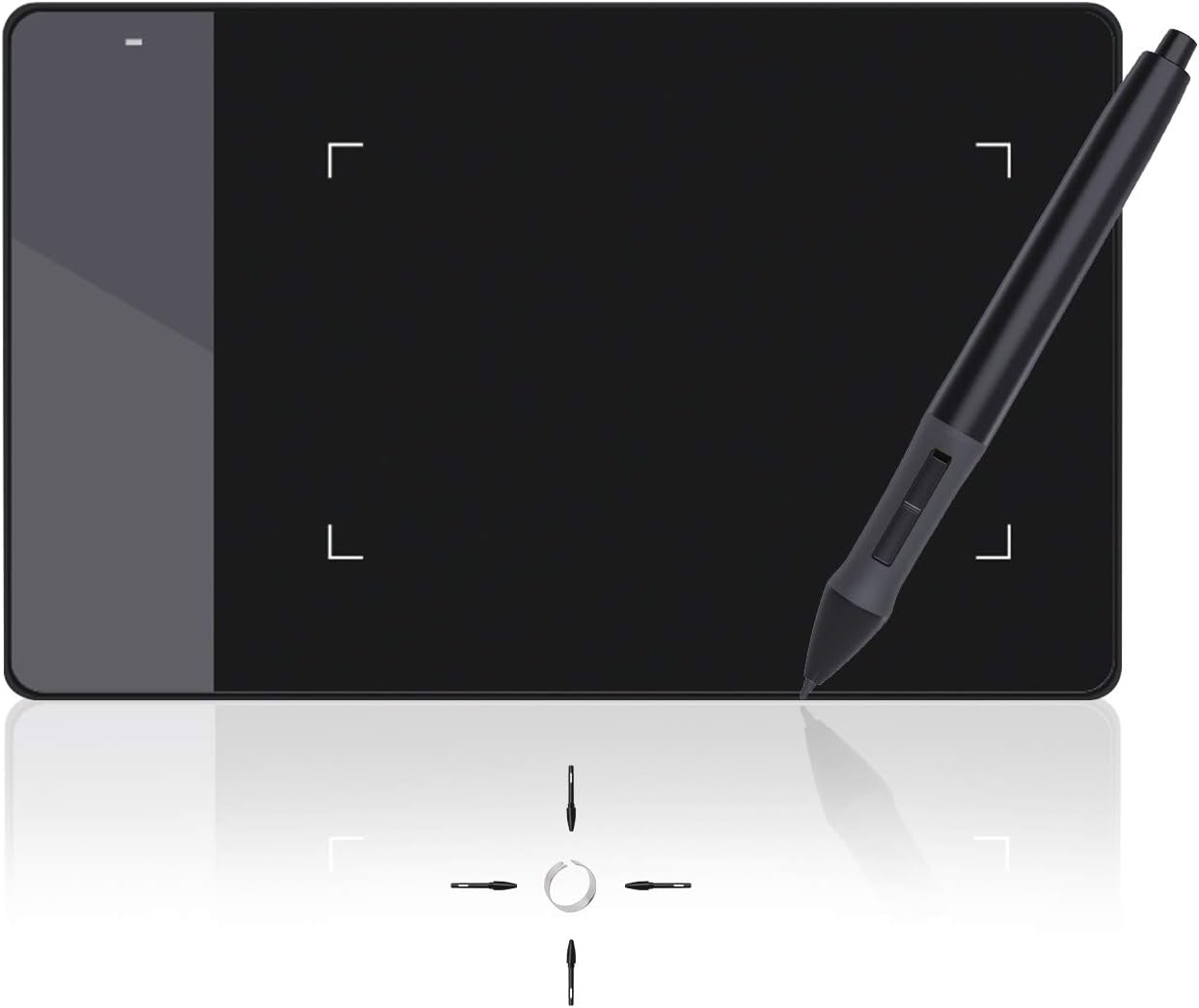
Huion 420 Drawing Tablet 4 x 2.23 Inches OSU Digital Pen Tablet Signature Pad Graphics Tablet Compatible with Mac and Window
Item #:
67559708
SBD 287
Price Details
Excluding Shipping & Custom charges ( Shipping and custom charges will be calculated on checkout )
*All items will import from UK
13%
In stock
 Imported from UK store
QTY:
Order now and get it around Wednesday, June 24
Secured transaction
Ubuy works hard to protect your security and privacy. Our advanced payment security system ensures confidentiality by encrypting your information during transmission using AES (Advanced Encryption Standards) and SSL (Secure Socket Layer) protocols. Your payment details are 100% secure as we do not share your payment details with third party sellers.
Our Top Logistics Partners


Huion 420 graphics tablet is the perfect tool for kids and beginning artists to draw, sketch, and edit photos. It is easy to use, has a compact design, and compatible with various software and devices.

Fast
Shipping

Free
Return*

Secure Packaging

100% Original Products

PCI DSS Compliance

ISO 27001 Certified


What Stands Out
Compact Design
The Huion 420 offers a portable and lightweight design, making it ideal for artists and students who need a reliable drawing tablet for on-the-go creativity without sacrificing space.
Versatile Compatibility
Compatible with both Mac and Windows, the tablet caters to a wide range of users, ensuring seamless integration with popular software for digital art and signature applications.
High Precision
With its responsive pen pressure sensitivity and customizable settings, the Huion 420 delivers high precision for an enhanced drawing experience, making every line and stroke incredibly accurate.
Product Details
- Affordable and responsive graphics tablet for drawing and sketching
- Can replace computer mouse and keyboard for enhanced workflow
- Suitable for online education, remote working, and web conferences
- Compatible with various drawing software and mainstream applications
- Slim, compact, and lightweight design for easy portability
- Comes with pen, USB cable, spare pen nibs, and instructions
| Brand Name | HUION |
| Model Name | uk huion 420 |
| Box Contents | Keybord |
| Target Audience | Children, beginners, remote workers, students and professionals |
| Model Number | Huion 420 |
| Global Trade Identification Number | 00520324307390 |
| Manufacturer | HUION |
| UPC | 520324307390 760352094842 |
| Manufacturer Part Number | 420 |
| Unit Count | 1.0 count |
| Country of Origin | China |
| Item Weight | 125 Grams |
| Item Dimensions L x W | 10.2L x 5.7W centimetres |
| Network Connectivity Technology | USB |
| Pressure Sensitivity | 2048 Levels |
| Operating System | Windows |
| Product Features | Portable |
| Specific Uses For Product | Digital art creation, note-taking, online schooling, remote work, web conferencing |
| Compatible Devices | Computers running Windows 10, 7, and Mac OS 10.8.0 or later, including supported desktops, laptops and tablets. |
| Display Type | LCD |
| Native Resolution | 4000 LPI |
| Screen Size | 5.6 Centimetres |
| Active Surface Area | 10x5.6cm (4 x 2.23 pollici) |
| Colour | Black, White |
| Brand | HUION |
| Connectivity technology | USB |
| Special feature | Portable |
Who Should Buy?

-
Digital Artists
Ideal for artists who want a portable and affordable option to sketch and create digital art on-the-go.
-
Students Taking Notes
Perfect for students who prefer handwritten notes and want the convenience of digital saving and organization.
-
Casual Gamers
Great for OSU players and casual gamers looking for a simple tablet to enhance their gaming experience.

-
Professional Illustrators
Not suitable for professional artists needing advanced features, larger drawing area, and higher sensitivity levels.
-
Heavy Graphic Design
Not ideal for graphic designers requiring extensive software compatibility and larger working surfaces for complex projects.
-
Frequent Travelers
While portable, the size may not satisfy users needing a larger area for detailed work when traveling frequently.
Product Description
Have any Query? Chat with us
Customer Questions & Answers
-
Question:
What are the system requirements for Huion 420 graphics tablet?
Answer: The system requirements are USB port, Windows 7 or later, and Mac OS 10.12 or later. -
Question:
Can Huion 420 graphics tablet be used for both left and right handed users?
Answer: Yes, it is suitable for both left and right handed users. -
Question:
What kind of software is Huion 420 graphics tablet compatible with?
Answer: Huion 420 graphics tablet is compatible with most drawing software including Adobe Photoshop, paint tool sai, illustrator, corel draw, corel painter, sketchbook, manga studio, clip studio paint, and more.
HUION Graphic Tablets Huion 420 Editorial Review


The HUION 2020 New HS611 is a professional drawing tablet that offers a high-quality and responsive drawing experience. The tablet features tilt sensitivity, allowing users to work at an angle of ±60°. It also supports the use of a digital pen that can work through paper, making it suitable for copying illustrations and pictures. One of the standout features of the HUION 2020 New HS611 is its compatibility with various drawing applications. While it does not come with a pre-installed drawing application, users can easily download software applications like MediBang Paint and Kitra to use with the tablet. Setting up the tablet is a breeze, as it is essentially a plug and play device. However, to fully customize the tablet's buttons and settings, it is recommended to download the accompanying app. The tablet also works well with popular design suites like Affinity Design. The HUION 2020 New HS611 may not be ideal for left-handed users, as the tablet's controls are located at the top and left-hand side. However, it can be used with a smartphone, including the Samsung S10, with the right cable or adapter. Overall, the HUION 2020 New HS611 receives positive reception from customers. It is praised for its high-quality Construction, accurate drawing capabilities, and adjustable pressure sensitivity. Some customers also appreciate its budget-friendly price. However, there are a few specific issues mentioned in the reviews, such as difficulties in finding and installing the correct driver and intermittent mismatch between the tablet and screen.
Customer Reviews & Ratings
8262 customers ratings
-
5 Star
58%
-
4 Star
19%
-
3 Star
9%
-
2 Star
5%
-
1 Star
9%
Review this product
Share your thoughts with other customers
Pros
- High-quality Construction
- Tilt sensitivity for working at different angles
- Compatible with various drawing applications
- Easy setup and customization
- Works well with popular design suites
- Budget-friendly option
Cons
- Intermittent mismatch between the tablet and screen
Product Price History
Important information
- Limitations : For products shipped internationally, please note that any manufacturer warranty may not be valid; manufacturer service options may not be available; product manuals, instructions, and safety warnings may not be in destination country languages; the products (and accompanying materials) may not be designed in accordance with destination country standards, specifications, and labeling requirements; and the products may not conform to destination country voltage and other electrical standards (requiring use of an adapter or converter if appropriate). The recipient is responsible for assuring that the product can be lawfully imported to the destination country. When ordering from Ubuy or its affiliates, the recipient is the importer of record and must comply with all laws and regulations of the destination country.
- Not all the products listed on Ubuy are for sale, as Ubuy is a global search engine. Products are subject to export/trade regulations.
SBD 287
Order now and get it around Wednesday, June 24
This item is not restrict in my country.(Please click on above link if this item is not restrict in your country, So our team will review and allow.)
QTY:
Secured transaction
Ubuy works hard to protect your security and privacy. Our advanced payment security system ensures confidentiality by encrypting your information during transmission using AES (Advanced Encryption Standards) and SSL (Secure Socket Layer) protocols. Your payment details are 100% secure as we do not share your payment details with third party sellers.
Our Top Logistics Partners
Fastest cross-border delivery
Features & Benefits
- Affordable graphics tablet with responsive stylus.
- Easy to setup and suitable for both left and right handed users.
- Perfect for limited desktop space and easy to carry out when on a trip.
- Can replace the computer mouse and keyboard.
- Compatible with most drawing software including Adobe Photoshop, paint tool sai, illustrator, corel draw, corel painter, sketchbook, manga studio, clip studio paint, and more.
- No need to install drivers. Just plug and play!